


You bought the tokens. You set up the wallet. Now you’re staring at a quote for a server that costs more than your first car. Is it worth it? If you want to run a validator node in 2026, you can’t just plug in an old gaming PC and hope for the best. Proof-of-Stake networks are hungry beasts. They demand specific, high-performance hardware to keep the chain running without slashing your rewards.
Here’s the reality check: hardware specs aren’t one-size-fits-all. What works for Ethereum will choke on Solana. What runs Polkadot smoothly might leave Aptos lagging behind. This guide breaks down exactly what you need, why you need it, and where people usually mess up.
Why Your Hardware Matters More Than Your Stake
Think of a validator as a security guard who never sleeps. If they blink, they miss a transaction. If they fall asleep, they get fired (slashed). Unlike full nodes that just store data, validators actively propose blocks and vote on consensus. This requires constant, low-latency computation.
In 2025, top-performing validators on networks like Solana earned annualized returns of 5-8%. But here’s the catch: downtime kills profits. A single hour of downtime can wipe out days of earnings due to missed attestations or penalties. According to NEAR Foundation data, maintaining 99.9% uptime is non-negotiable. That means enterprise-grade reliability isn’t optional-it’s the baseline.
The market has shifted too. In 2022, the global blockchain validator market was $1.2 billion. By late 2025, it hit $4.7 billion. Why? Because institutional players entered the game. They didn’t bring laptops; they brought rack-mounted servers with redundant power supplies. If you’re competing against them, your home setup needs to be serious.
Ethereum Validator Specs: The Standard Benchmark
Ethereum remains the most popular network for solo stakers. Since The Merge in 2022, it transitioned from energy-intensive mining to efficient validation. But don’t let the word "efficient" fool you into thinking it’s cheap.
As of early 2026, the sweet spot for an Ethereum validator involves balancing cost with future-proofing. The upcoming Pragma upgrade, scheduled for Q2 2026, aims to reduce RAM requirements through state expiry mechanisms. However, until that lands, you still need robust memory.
- CPU: You need 8-12 cores or 16-24 threads. Single-thread performance matters more than core count. Look for PassMark Single Thread scores above 3,500. Intel i5/i7 recent generations or AMD Ryzen 5/7 work well.
- RAM: 64GB is the current recommendation. While some run on 32GB, operators report 15-20% higher block proposal success rates with 64GB. It buffers the execution layer effectively.
- Storage: 4-8TB NVMe SSD. Do not use HDDs. The chain grows fast-over 1TB annually. Consumer-grade SSDs often fail within 6-12 months under validator load because they lack endurance. Aim for drives with 1,000+ TBW (Terabytes Written) ratings.
- Network: 300-500Mbps connectivity. Latency matters more than raw bandwidth. Keep ping times low to ensure your attestations reach peers quickly.
If you’re building this yourself, budget around $2,000-$3,000 for a solid self-hosted rig. Managed hosting services now account for 38% of the market, offering a viable alternative if you hate tinkering with Linux kernels.
Solana: The Heavyweight Champion
Solana is different. It processes thousands of transactions per second, which puts immense pressure on memory and I/O. If Ethereum is a marathon runner, Solana is a sprinter doing interval training. It needs explosive power.
The requirements here are steep. In 2023, you could get away with 128GB of RAM. Today? You need 384GB minimum. Why? Solana’s Gulfstream mempool architecture keeps the entire blockchain state in memory. If you run out of RAM, the node swaps to disk, and performance tanks immediately.
| Component | Ethereum Validator | Solana Validator |
|---|---|---|
| Minimum CPU Cores | 8 physical cores | 24+ physical cores (32+ recommended) |
| CPU Clock Speed | High single-thread score (>3500) | ≥3.9 GHz base clock (single socket preferred) |
| RAM | 64GB (32GB risky) | 384GB+ (256GB coming with Firedancer) |
| Storage Type | NVMe SSD (Endurance focused) | Multiple NVMe Drives (IOPS focused) |
| Storage Capacity | 4-8TB | 2TB Ledger + 1TB Accounts (Separate Drives) |
| Networking | 300-500 Mbps | 1 Gbps Symmetric |
A critical tip from ServerMania’s 2025 guide: avoid dual-socket enterprise CPUs. Solana performs better on high-frequency single-socket chips (like AMD Threadripper or EPYC) because dual-socket setups introduce NUMA latency issues. Your CPU needs to talk to its own RAM instantly. Cross-socket communication adds microseconds that add up when processing 30,000 TPS.
Expect to pay $15,000-$20,000 for a compliant Solana validator setup. It’s expensive, but the barrier to entry filters out smaller competitors, potentially stabilizing rewards for those who make it in.

Polkadot, Sui, and Aptos: The Middle Ground
Not every chain demands a supercomputer. Some offer more balanced specifications, making them attractive for mid-tier operators.
Polkadot focuses on parallel execution via parachains. Its documentation specifies 8 physical cores at 3.4 GHz on modern architectures like Intel Ice Lake or AMD Zen3+. You’ll need 32GB DDR4 ECC RAM and a 2TB NVMe SSD. Note the ECC requirement-Error-Correcting Code memory prevents silent data corruption, which is vital for consensus integrity.
One unique quirk for Polkadot: disable Hyper-Threading (SMT). The network prioritizes single-threaded performance. Enabling SMT can actually degrade performance by introducing context-switching overhead.
Sui Network takes a different approach. It requires 24 physical cores (or 48 virtual), 128GB RAM, and 4TB NVMe storage. The networking requirement is strict: 1Gbps symmetric. Sui’s Move virtual machine is efficient, but the sheer volume of object-centric transactions demands high throughput.
Aptos sits somewhere between Solana and Sui. It demands 32 cores at 2.8GHz+ (AMD Milan EPYC or Intel Xeon Platinum), 64GB RAM, and crucially, 60K+ IOPS on your SSD. Aptos validators must handle ~30,000 TPS. Community reports show that using drives below 60K IOPS results in 25-30% higher latency during peak hours, directly hitting your reward rate.
The Hidden Killers: Storage Endurance and Networking
Most beginners focus on CPU and RAM. They ignore the two things that actually break nodes: storage wear and network instability.
Validators write constantly. Every block, every transaction, every state change hits the disk. Consumer SSDs are rated for maybe 300-600 TBW. Enterprise NVMe drives are rated for 1,000-3,000+ TBW. If you use a consumer drive, you’re gambling. Cherry Servers’ analysis shows consumer SSDs failing within 6-12 months under validator loads. Replacing a failed drive means downtime, and downtime means lost money.
Then there’s networking. 68% of validator downtime is attributed to network issues, not hardware failures. This includes ISP outages, DDoS attacks, or misconfigured firewalls. Redundant connections are no longer a luxury. Using a primary fiber line with a 5G backup reduces downtime by 45%, according to Jito Labs statistics.
Power redundancy is equally critical. 92% of top-performing validators use UPS systems capable of sustaining operations for 15-30 minutes. This gives you time to gracefully shut down or switch generators during a grid outage. Without it, a sudden power cut can corrupt your database, requiring a resync that takes days.
Cost vs. Reward: Is DIY Worth It?
Let’s look at the numbers. A basic Ethereum validator rig costs $2,000-$3,000. A Solana validator costs $15,000-$20,000. Add electricity, cooling, and internet, and your monthly operating costs can range from $100 (Ethereum) to $500+ (Solana).
Individual validators (running 1-5 nodes) make up 62% of participants but control only 28% of staked tokens. Institutional validators (10+ nodes) represent 18% of participants but control 57% of the stake. This centralization trend is driven by hardware economies of scale. Institutions buy servers in bulk, negotiate data center rates, and hire dedicated sysadmins.
If you’re a solo operator, consider managed hosting. 41% of new validators in 2025 opted for managed solutions. These services provide the hardware, handle maintenance, and guarantee uptime SLAs. For many, paying a premium for peace of mind yields better net returns than managing a fragile home setup.
However, if you enjoy the technical challenge and want to maximize margins, self-hosting still wins. Just be prepared for a learning curve. Establishing a fully functional node takes 40-80 hours for novices. You’ll need skills in Linux administration (required by 95% of validators) and network configuration (87%).
Future-Proofing: What’s Coming in 2026?
Hardware requirements aren’t static. Networks evolve to become more efficient.
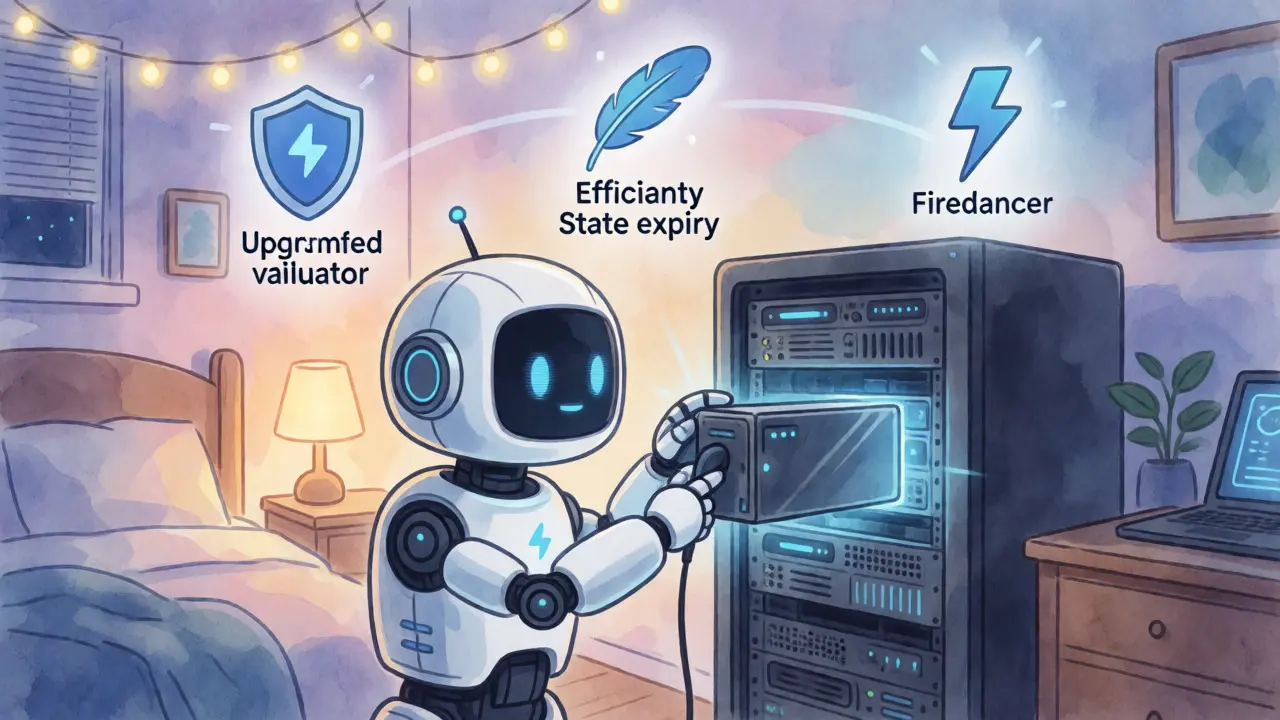
Ethereum’s Pragma upgrade (Q2 2026) will allow validators to drop RAM requirements to 32GB by implementing state expiry. This lowers the barrier to entry significantly. Solana’s Firedancer client (expected late 2025/early 2026) promises to reduce minimum RAM from 384GB to 256GB while maintaining performance. NEAR Protocol is testing sharding implementations that could cut storage needs by 35-40%.
On the hardware side, AMD’s upcoming EPYC 9004 series features dedicated SHA-3 and EdDSA cryptographic accelerators. These chips are designed specifically for blockchain workloads, promising 3-5x acceleration for cryptographic operations compared to standard CPUs.
Gartner predicts that hardware growth rates will stabilize by 2027. Instead of the 30-40% annual jumps seen in 2023-2025, we’ll see 15-20% growth. This suggests the wild west era of validator hardware is ending, giving way to a more predictable infrastructure landscape.
Frequently Asked Questions
Can I run a validator on a cloud provider like AWS?
Yes, but it’s often more expensive long-term than dedicated servers. Cloud providers charge for egress traffic, which validators generate heavily. Additionally, shared resources can lead to noisy neighbor issues affecting latency. Dedicated bare-metal servers are generally preferred for consistent performance.
What happens if my validator goes offline?
You lose potential rewards for missed attestations. On some networks, extended downtime leads to slashing, where a portion of your staked tokens is burned. Short downtimes result in minor penalties, but frequent restarts can accumulate significant losses over time.
Do I need ECC RAM for all validators?
Not strictly for all, but it is highly recommended, especially for Polkadot and high-stakes environments. Error-Correcting Code memory detects and fixes single-bit errors, preventing data corruption that could cause consensus failures or crashes. For Ethereum, non-ECC RAM is common among solo stakers, but ECC adds reliability.
How much electricity does a validator consume?
An Ethereum validator consumes roughly 100-200 watts under load. A Solana validator with 384GB RAM and high-core CPUs can consume 350-450 watts. Factor in cooling costs, which can add another 20-30% to your energy bill depending on your climate.
Is it better to rent hardware or buy it?
Renting offers flexibility and lower upfront costs, ideal for testing strategies or short-term commitments. Buying provides better long-term ROI if you plan to operate for 3+ years. However, hardware becomes obsolete quickly, so renting mitigates the risk of owning outdated equipment.